Get Findings Data
Finding Details gives you context for a selected finding, suggested remediation actions, where the finding was observed in the company’s footprint, and a log of messages exchanged with the ROC.
Finding Details shows when you click a finding in any view.
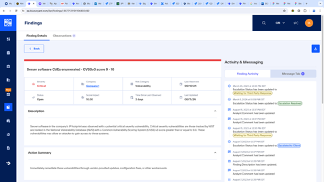 |
Last Observed - Last timestamp that the BlueVoyant platform identified an observation for this finding type.
Time Since Last Observed - The total time from the last observation of this finding.
Description - A detailed description of the finding and where it was identified.
Security Risks - Detailed information of the security risks of this finding.
Action Summary and Action Details - Suggested remediation actions to investigate and resolve the identified risk.
Analyst Comments - Information from the ROC analyst during validation.
Monitor Findings and Escalations
Recent Activities - Actions for, and events of this finding, from when it was first opened.
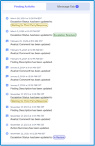
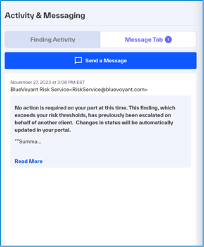
Messages - Messages between the third-party company, the BlueVoyant ROC, and your risk analysts, from the first escalation of a finding. In this area you can monitor the TPRM service of active cooperation with your monitored third-parties to remediate identified risk.
Export Finding Details
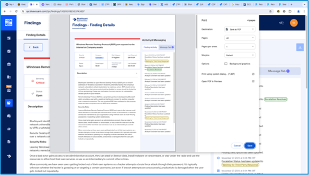 |
To get a pdf report of the finding details, click  .
.
Get Investigation Information
In Finding Details > Observations, get more information about where and when the service observed this finding in the company’s footprint. You can use this information to support investigations and remediation plans.
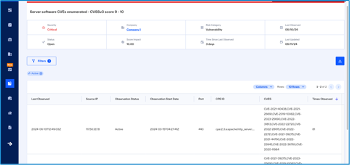 |
| The Observations tab shows the total active observations. If there is no total, all observations are resolved. |
Last Observed - Timestamp of when the finding was last observed
IP - IP address or domain
Observation Status - Status of the observation:
Active observations contribute to the findings score
Resolved observations do not have an affect on the score
Observation Start Date - Timestamp of when the finding was first observed
Port - The port from where the finding came in or that it uses for both directions
Times Observed - The total times the finding was observed.
Note
You can export the complete Observations of a finding or a filtered view.