Open Case Data from Widgets
In Analyst Dashboard > Remediation Performance shows the total, open, and resolved escalated cases by month.
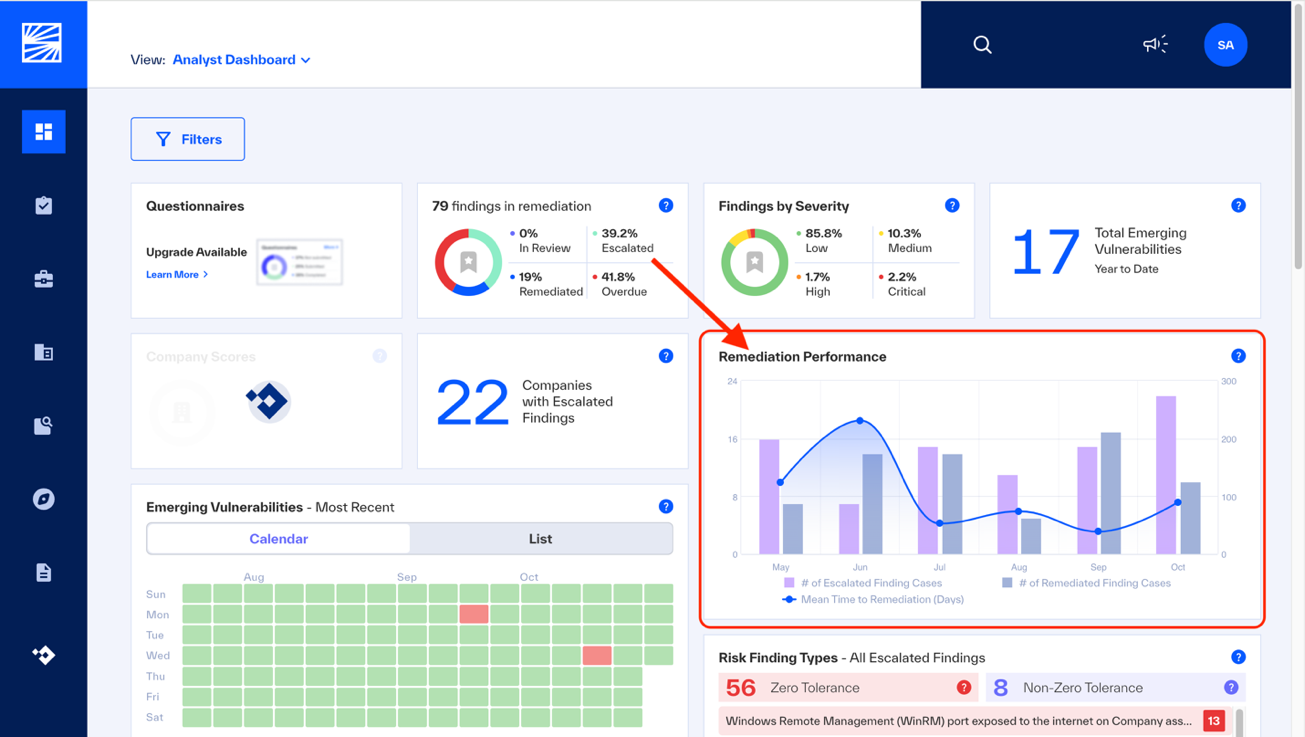 |
To see cases escalated in a specified month, click the Escalated bar for the month. Findings > Cases opens, filtered for cases opened that month.
To see cases resolved in a specified month, click the Resolved bar for the month. Findings > Cases opens, filtered for resolved that month.
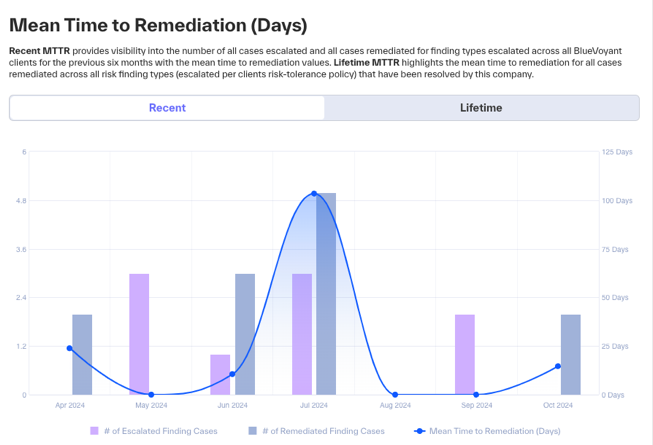
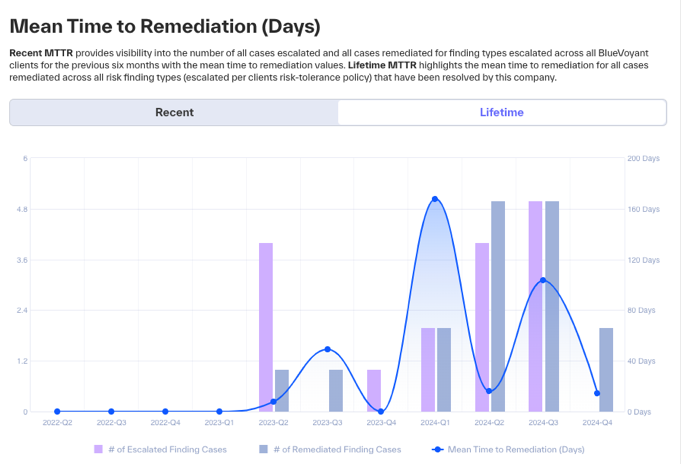
To see the MTTR of cases: in Company > Mean Time to Remediation widget, click a month or a quarter. Findings > Cases opens, filtered for the cases with the same MTTR.
 |
 |