Manage SSO Connections
You can add domains, turn SSO on or off, and delete the SSO configuration.
To manage SSO: In Settings > Company Settings, click . The Auth Configuration settings show.
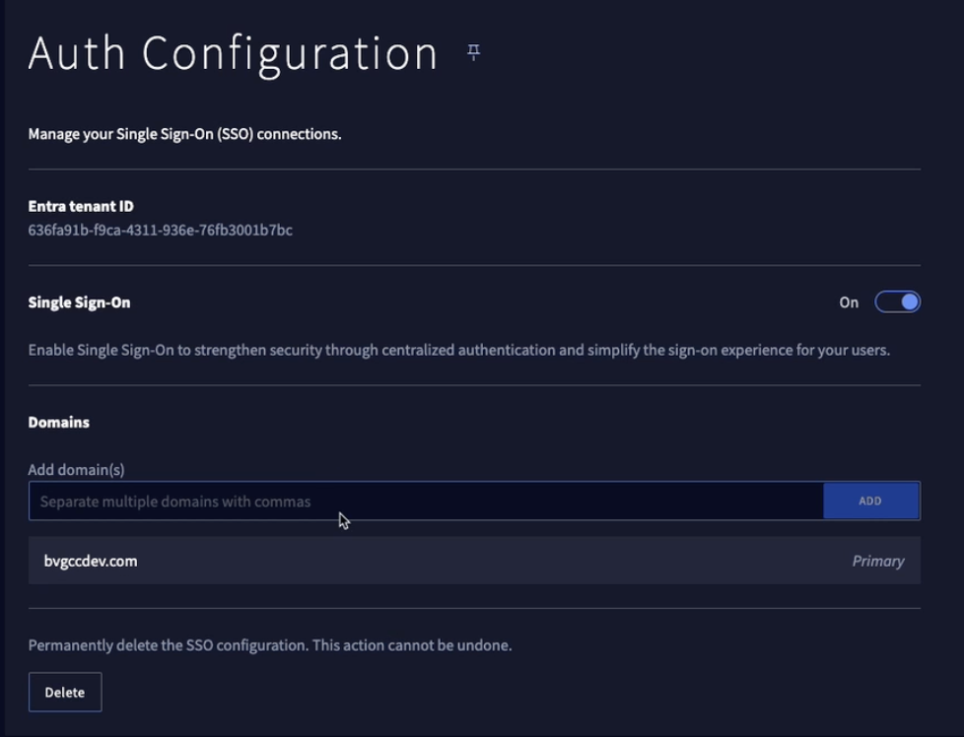
In Auth Configuration > Domains > Add domain(s), enter one or more domains.
Note
If you add multiple domains, use commas.
Click Add.
Make sure this is the correct and necessary action. It will stop user connections.
Tell your users about the change.
Click > . It changes to Off.
Click > . It changes to On.
Tell your users about the change, with instructions for the correct procedure to open the BlueVoyant application.
Make sure this is the correct and necessary action. It will stop user connections. You cannot undo this. We recommend that if you can, turn off SSO and do not delete the configuration.
Tell your users about the change.
Click .