Pinning or Unpinning a Column
To keep certain information visible when scrolling left or right in a table, you can pin a column to the left or right. To pin or unpin a column, do the following:
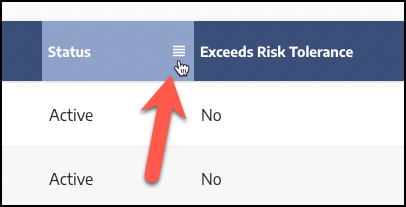
Click the four bars icon on the right of the column header:
 |
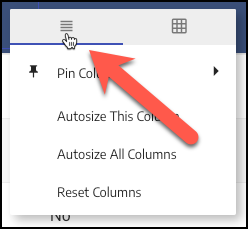
Select the first tab of the context menu if not already selected:
 |
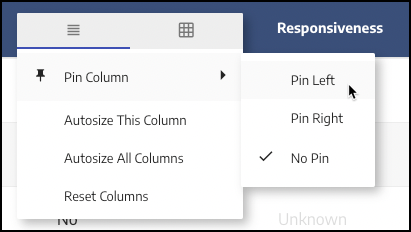
Click Pin Column, then select Pin Left, Pin Right, or No Pin:
 |
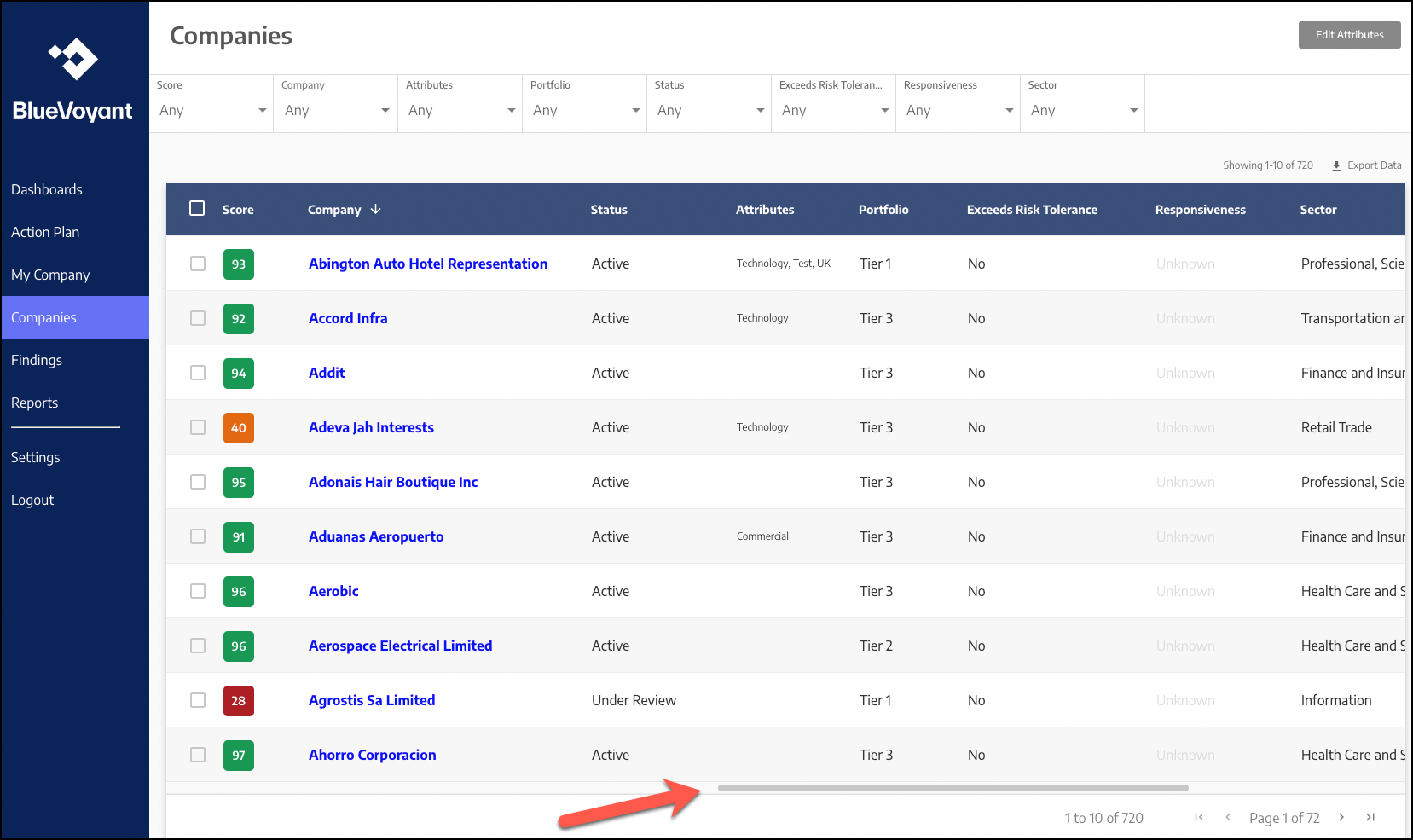
Once pinned, the column remains visible when scrolling left or right. For example, when pinning the Status column to the left, the entire column remains visible:
 |