Configure Filters on Business Risk Events
You can filter the list of business risk events to quickly see only the events of selected properties. You can select multiple filters and multiple values for each filter field.
In Business Risk, click .
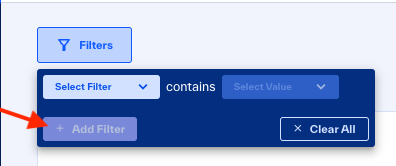
Click and in the list, click a filter option.
Click and in the list, select or enter one or more values.
Optional: To add more filters, click .
Filter Field | Filters buisness risks for: | Values |
Risk Rating | Selected risk rating |
|
Risk Category | Selected Business Risk Categories |
|
Attribute | Companies that have the selected attributes | Enter three or more characters of an attribute to select matched companies with attributes. |
Portfolio | Companies in the selected portfolios | Enter three or more characters of a portfolio name to select matched companies. |
Company Name | Selected companies that have these findings | Enter three or more characters of a company name to select matched companies. |