Resetting Column Display
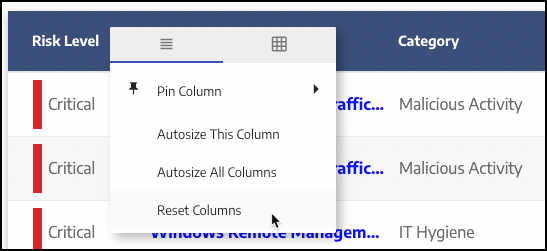
When you show or hide a column, change the column order, or pin or unpin a column, the settings are saved between page visits. To reset to the default settings so that all columns are visible and column order, width, and pinning are returned to their default state, click the four bars icon on the right of the column header and select the left tab on the context menu if not already selected, then select Reset Columns:
 |